Tell us where to send your money. You can be paid by PayPal or by bank transfer. Bank transfers also need a one-time identity check.
1 Save your withdrawal details
Click your name at the top right and choose Withdrawal Details, or click Manage Withdrawal Details on the Withdrawals page.
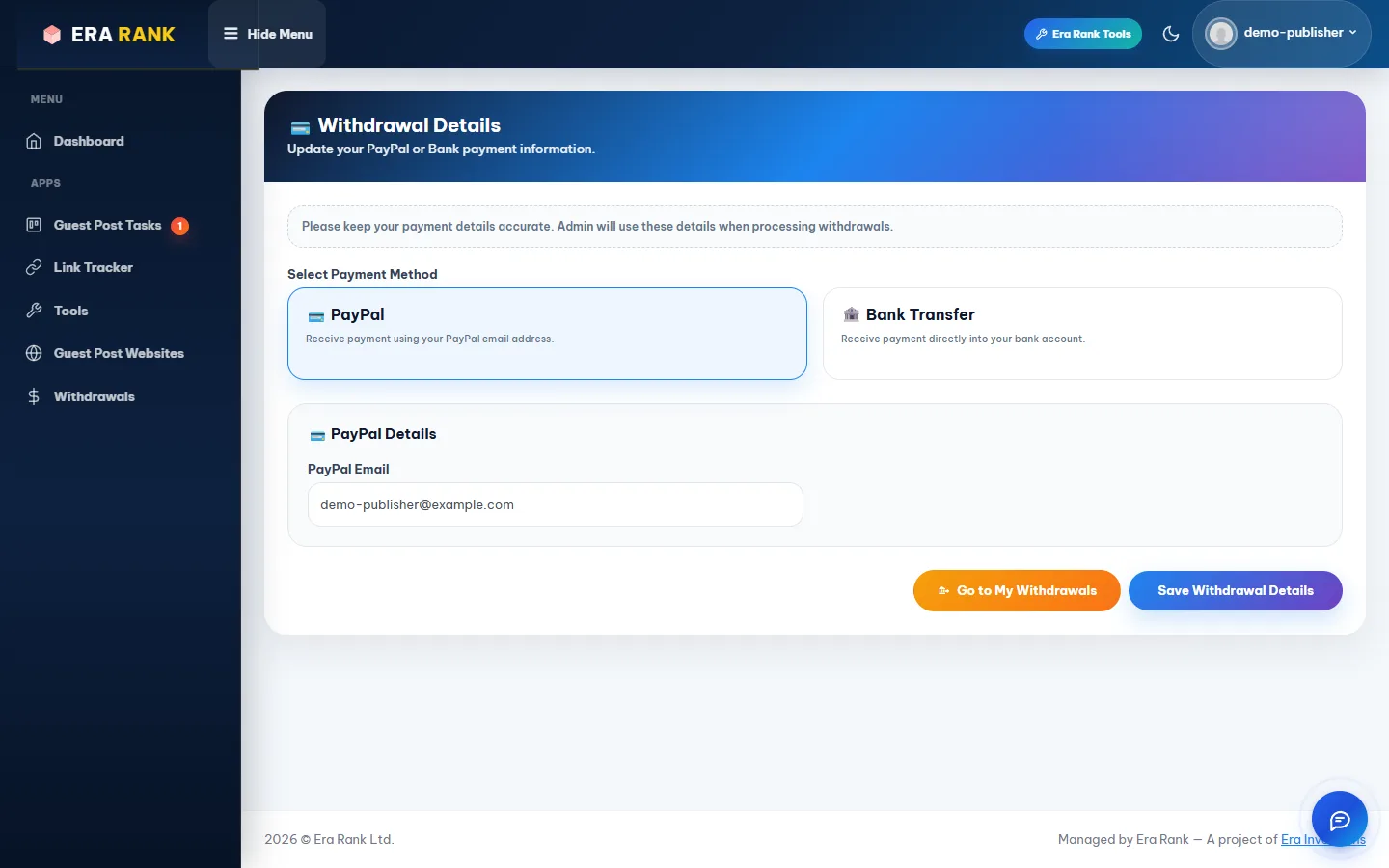
Choose PayPal or Bank Transfer and fill in the details.
| Method | Fields |
|---|---|
| PayPal | PayPal Email: the email address of your PayPal account. |
| Bank Transfer | Bank name, account number (or IBAN) and the full name on the account. |
Click Save Withdrawal Details.
Double-check every character. Payments sent to a wrong PayPal address or account number are hard to get back.
2 Verify your identity (bank transfer only)
Before we can pay into a bank account, we need to confirm who you are. PayPal payouts don't need this.
Once you save bank details, the Withdrawals page shows Verify Profile to Withdraw in place of Request Withdraw. Click it to open Profile Verification. A short guide shows what a good photo looks like:

All four corners visible, in focus, no glare.
What you need
| Field | What to enter |
|---|---|
| Country | The country that issued your document. |
| Document Type | Government ID (national ID card, CNIC, Emirates ID or similar: front and back) or Passport (the photo page only). |
| Name on document | Exactly as printed. It must match the name on your withdrawal details. |
| Document number | The full number printed on the document. |
| Document photos | JPG or PNG, up to 5 MB each. |
| Live Selfie | Click Start Camera and take a photo of yourself. Camera only; uploads aren't accepted. |
Click Submit for Verification.
Tips for a successful check
- Use good light and a plain background.
- Get all four corners of the document in the photo.
- Make sure every line of text is readable: no blur, no glare.
After you submit
- Pending: our verification team is checking it. You can't submit again while it is pending.
- Approved: you can withdraw by bank transfer. You get an email.
- Rejected: the email says why. Fix the problem and submit again.
Your documents are stored securely, seen only by our verification team, never shared, and deleted once your verification is complete.