Your profile holds the details we use to reach you and pay you. Keep it up to date so you never miss an order.
1 Your dashboard
After logging in you land on the Dashboard, a summary of your websites, tasks and earnings. The left menu takes you everywhere else.
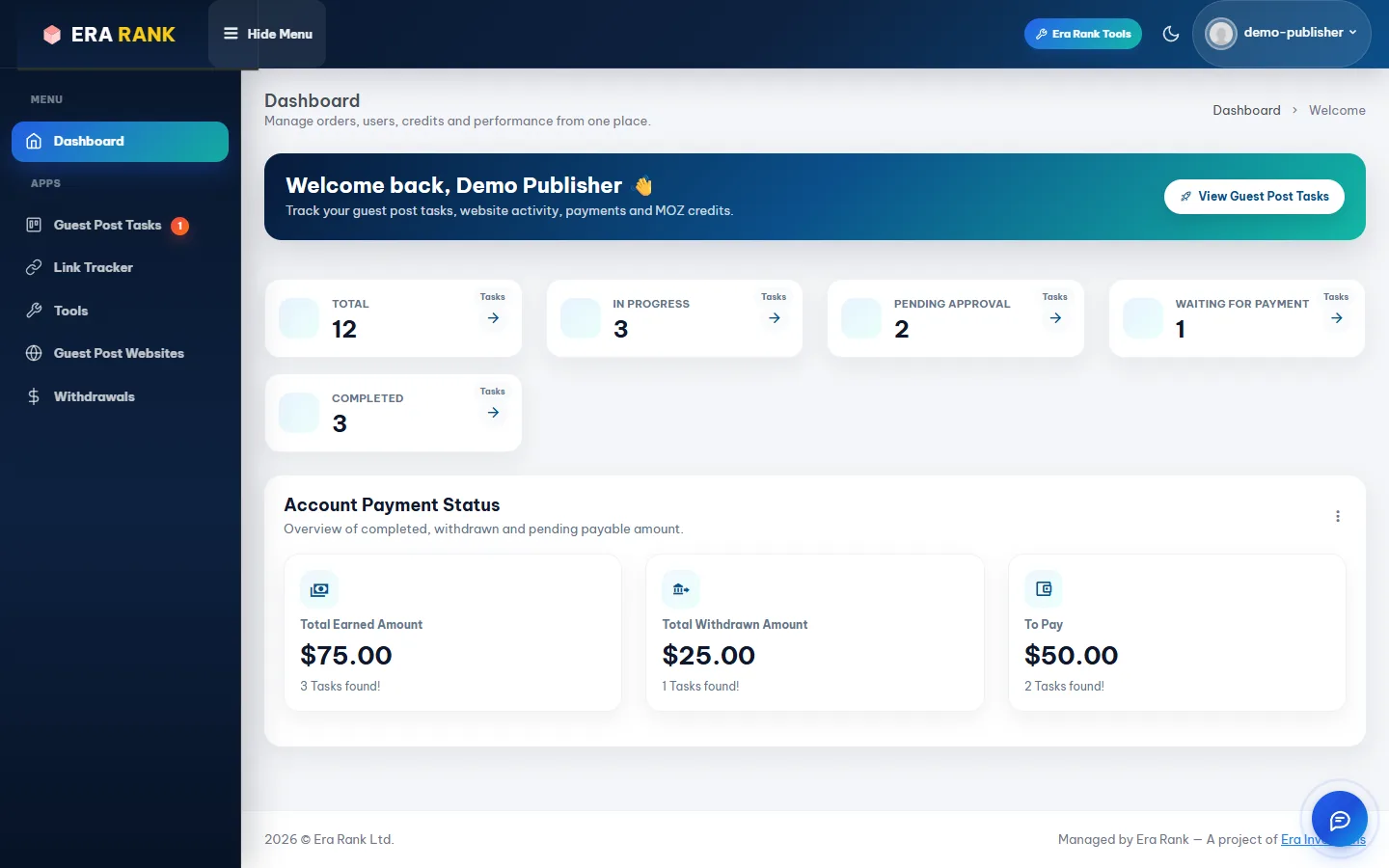
The publisher dashboard.
| Menu | What it is for |
|---|---|
| Guest Post Tasks | Your orders. The red number is new orders waiting for you. |
| Link Tracker | Daily checks on your published posts. |
| Tools | Email Finder and free SEO tools. |
| Guest Post Websites | Your websites and prices. |
| Withdrawals | Your balance and payouts. |
The moon icon at the top switches between light and dark mode.
2 Update your profile
Click your name at the top right and choose Profile.

The Update Profile page.
| Field | Notes |
|---|---|
| Picture | Click Upload Picture. JPG or PNG, up to 200 KB. |
| Full Name | Should match your payout account. |
| Mobile Number | Pick your country and enter your WhatsApp number. Order alerts are sent here. |
| Username, Email Address | Locked. Contact support if you need to change them. |
| Password | Enter a new password twice (at least 8 characters) to change it. Leave empty to keep your current one. |
Click Update Profile.
Verify Profile at the top opens the identity check needed for bank payouts; see Payout details & ID verification.
3 Emails and messages you will get
| When | Message |
|---|---|
| You sign up | Welcome email with the link to confirm your address. |
| Your account is reviewed | “Your Era Rank Account Has Been Approved!”, or an email explaining why it wasn't. |
| Your websites are reviewed | An email when websites are approved, or a Price High warning when prices are above our policy. |
| You get a new order | “New Guest Post Task Assigned”, by email and WhatsApp, with the submit link. |
| A payment is released | An email when earnings move to your available balance. |
| A withdrawal is handled | “Withdrawal approved” or “Withdrawal request declined”, with the amount. |
| Your ID is checked | “Your identity verification was successful”, or an email explaining the problem. |
| Your account is suspended | An email with the reason. |
Emails come from Era Rank. Add support@erarank.com to your contacts and check your spam folder if something doesn't arrive.
Era Rank will never ask for your password. Only log in at erarank.com.
Was this page helpful?