Your client pays through an Era Rank invoice. One invoice can cover several orders. When it is paid, the orders become Completed and your profit is added to your balance.
1 Create an invoice
- Open the client's page: Clients → View Profile.
- Tick the orders to bill. Tick boxes appear on unpaid orders that aren't on an invoice yet and are Waiting For Payment, Not Started or Pending Approval.
- Under Bulk Actions, click Create Invoice.

The Invoice column shows each order's invoice and whether it is paid.
The invoice total is the sum of the orders' selling prices. Your client is emailed straight away: “Your Invoice for Guest Post Order #…”, with the amount and a link to pay.
Most staff invoice once the post is live and approved (Waiting For Payment). You can also invoice earlier if your client pays in advance.
2 The invoice your client sees
The invoice link, erarank.com/invoice/payments/…, opens without logging in. You can copy it from the client page or the invoice list and send it yourself.
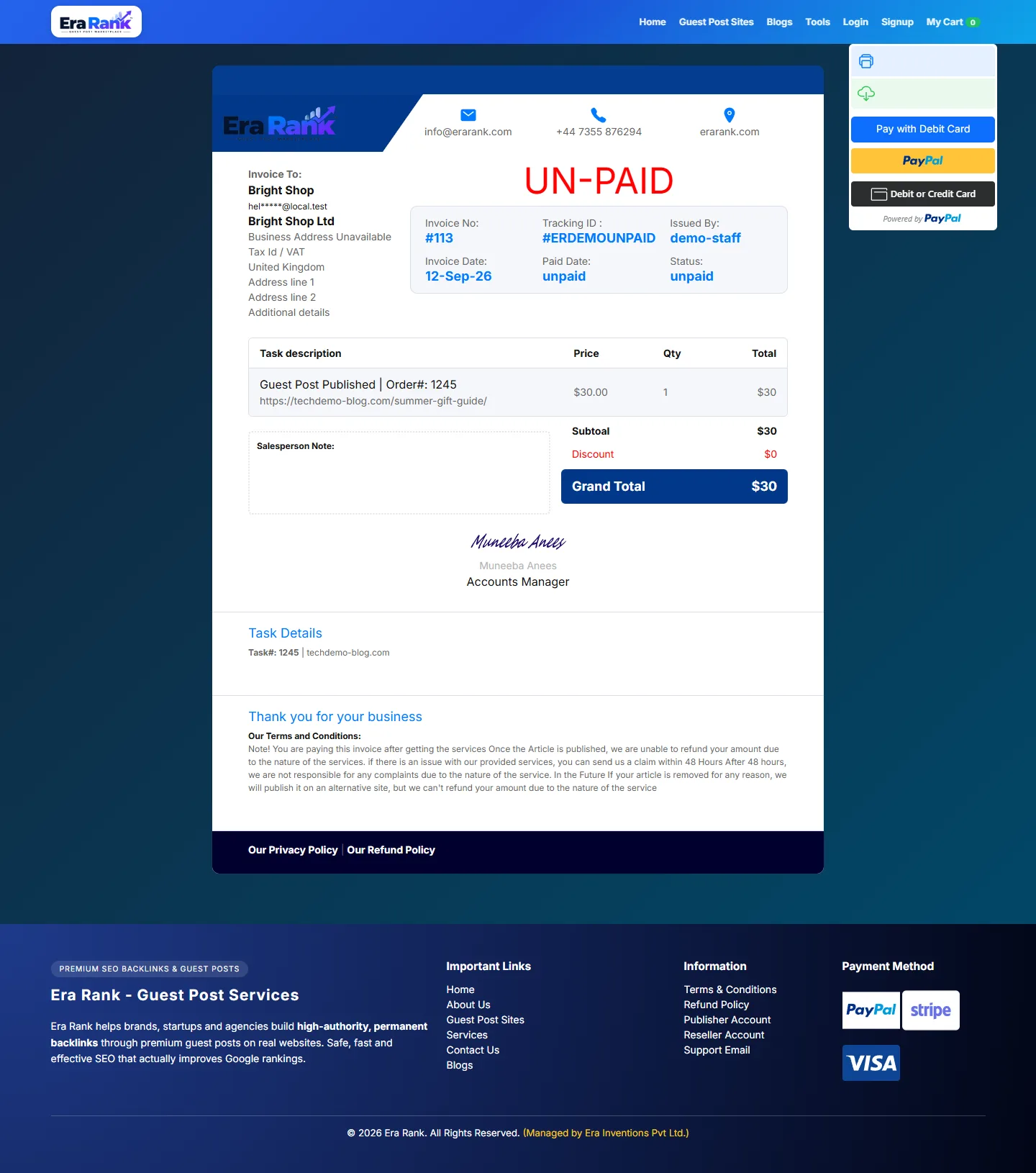
The client's business details, the orders, the total, and the payment buttons on the right.
- Your name appears as Issued By.
- The client pays by debit or credit card, PayPal or Google Pay.
- They can print or download the invoice.
After a successful payment the invoice shows Paid with the date and payment method, and the orders become Completed.
3 Follow your invoices
Click Invoices in the menu.
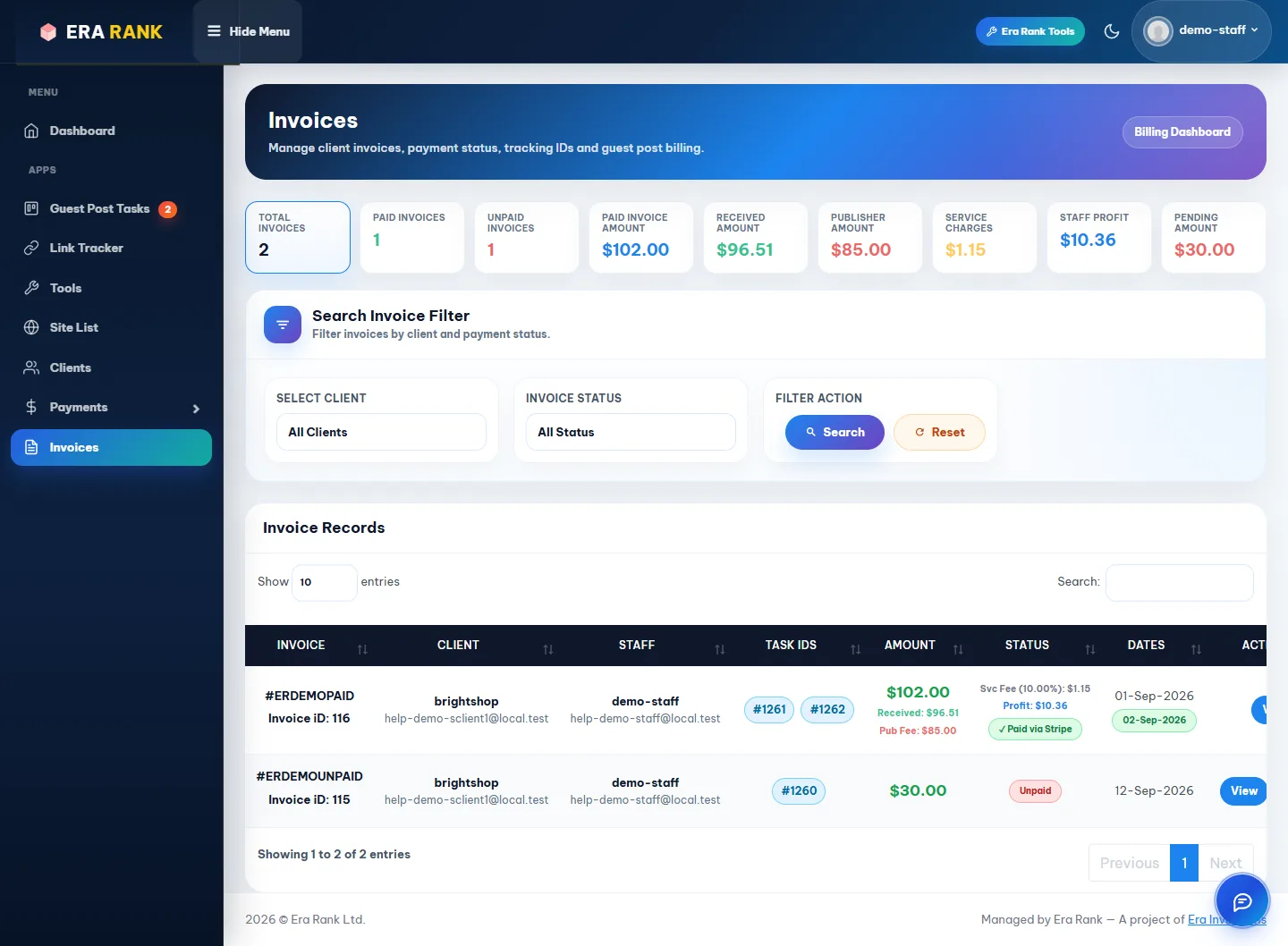
Totals at the top, then every invoice you created.
| Card | Meaning |
|---|---|
| Paid Invoice Amount | What your clients paid. |
| Received Amount | After card or PayPal fees. |
| Publisher Amount | The publishers' share. |
| Service Charges | Era Rank's share of your profit. |
| Staff Profit | What you earned. |
| Pending Amount | Unpaid invoices. |
Filter by client or status. On a paid invoice, the Status column shows the fee and your profit. View opens the invoice.
4 Delete an unpaid invoice
Made a mistake? Delete an unpaid invoice from the list. Its orders become available to invoice again. Paid invoices can't be deleted, and invoices can't be edited; delete and create a new one instead.