1 Link Tracker
Click Link Tracker. It lists the published posts of your completed orders, and checks every day that the post and the client's link are still there. Use it to answer clients who ask whether their links are live.
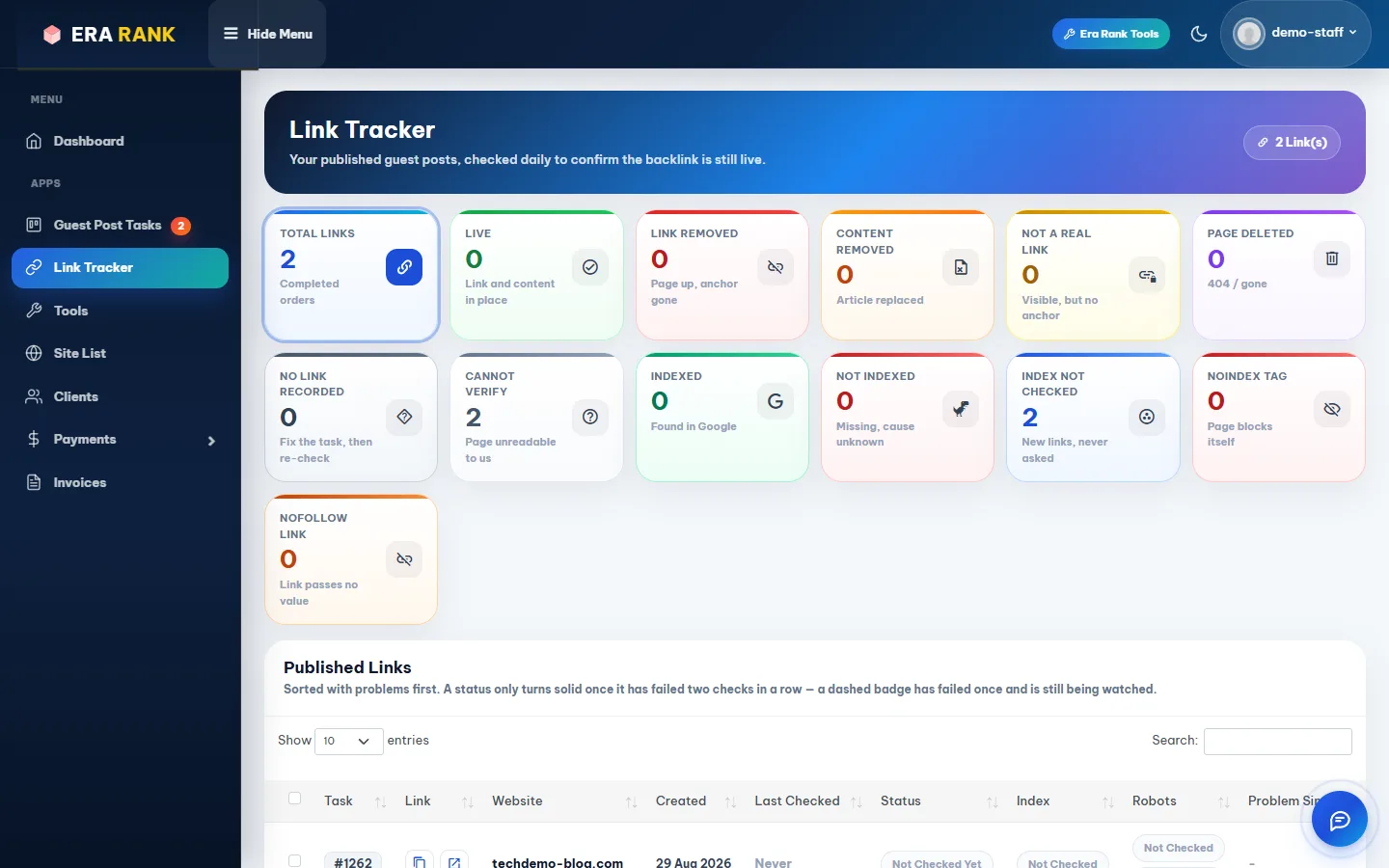
The cards count your links by result; click one to filter the list.
| Card | Meaning |
|---|---|
| Live | The post and the link are in place. |
| Link Removed / Content Removed | The page is up, but the link or the article is gone. |
| Not a Real Link / Nofollow Link | The link isn't clickable, or passes no value. |
| Page Deleted | The page no longer exists. |
| Noindex Tag | The page tells search engines not to index it. |
| Cannot Verify | We couldn't read the page. |
| Indexed / Not Indexed / Index Not Checked | Whether Google has the page. |
A problem only counts once it has failed two checks in a row. Copy URLs copies the ticked links, for example to send to a client. If a link has a problem, tell our team in the order's Messages panel; we follow it up with the publisher.
2 Tools
Click Tools in the menu, or Era Rank Tools at the top of any page.

Email Finder and the public SEO tools.
- Email Finder finds public contact emails on websites: useful for finding new clients. The card shows your plan and how many searches are left this month.
- Bulk DA PA Checker, Bulk Article Generator and Era Rank SEO Analyzer open in a new tab.
The Bulk Article Generator and the AI Writer on the order form help you prepare articles for clients who don't have their own.
Was this page helpful?