Era Rank pays the publisher when a post goes live, often before your client has paid. The security deposit covers that cost: for each order you send on, the publisher price is held from your deposit, and released again once your client pays.
Not every account needs a deposit. If yours doesn't, the Security Deposit page says “Security Deposit is not enabled for your account.” and you can skip this article.
1 Your deposit
Click your name at the top right and choose Security Deposit.
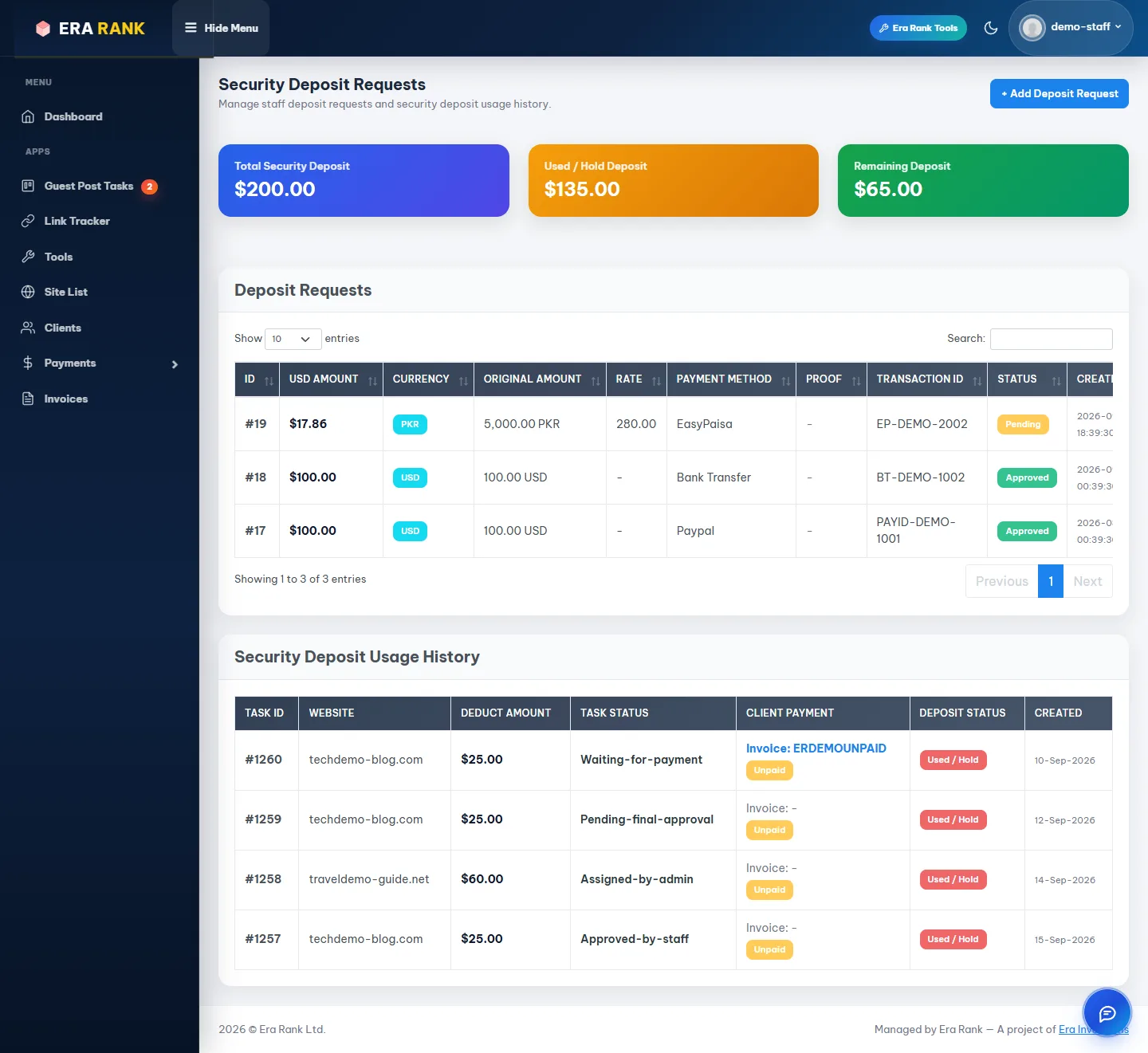
Your balance, your deposit requests and which orders are holding money.
| Card | Meaning |
|---|---|
| Total Security Deposit | Everything you have deposited and we have approved. |
| Used / Hold Deposit | Held for orders your clients haven't paid yet. |
| Remaining Deposit | Available for new orders. |
Security Deposit Usage History lists each order holding money, with its status and whether the client has paid. Used / Hold becomes Released once the client pays; the page updates the balance when you open it.
Example
You have $200 in deposit. You send three orders with publisher prices of $25, $60 and $25: $110 is held and $90 remains. When the client pays the $60 order, $60 is released and $150 remains.
2 When the deposit is too low
If the remaining deposit is less than the publisher price of an order, sending it is refused:
Insufficient Security Deposit. The message shows your available balance, the amount required and how much more to deposit.
Add a deposit (below), wait for approval, and send the order again.
3 Add a deposit
- Click + Add Deposit Request.
- Choose the currency and payment method. Payment Instructions appear with the account details to pay into.
- Make the payment, then fill in the rest of the form.
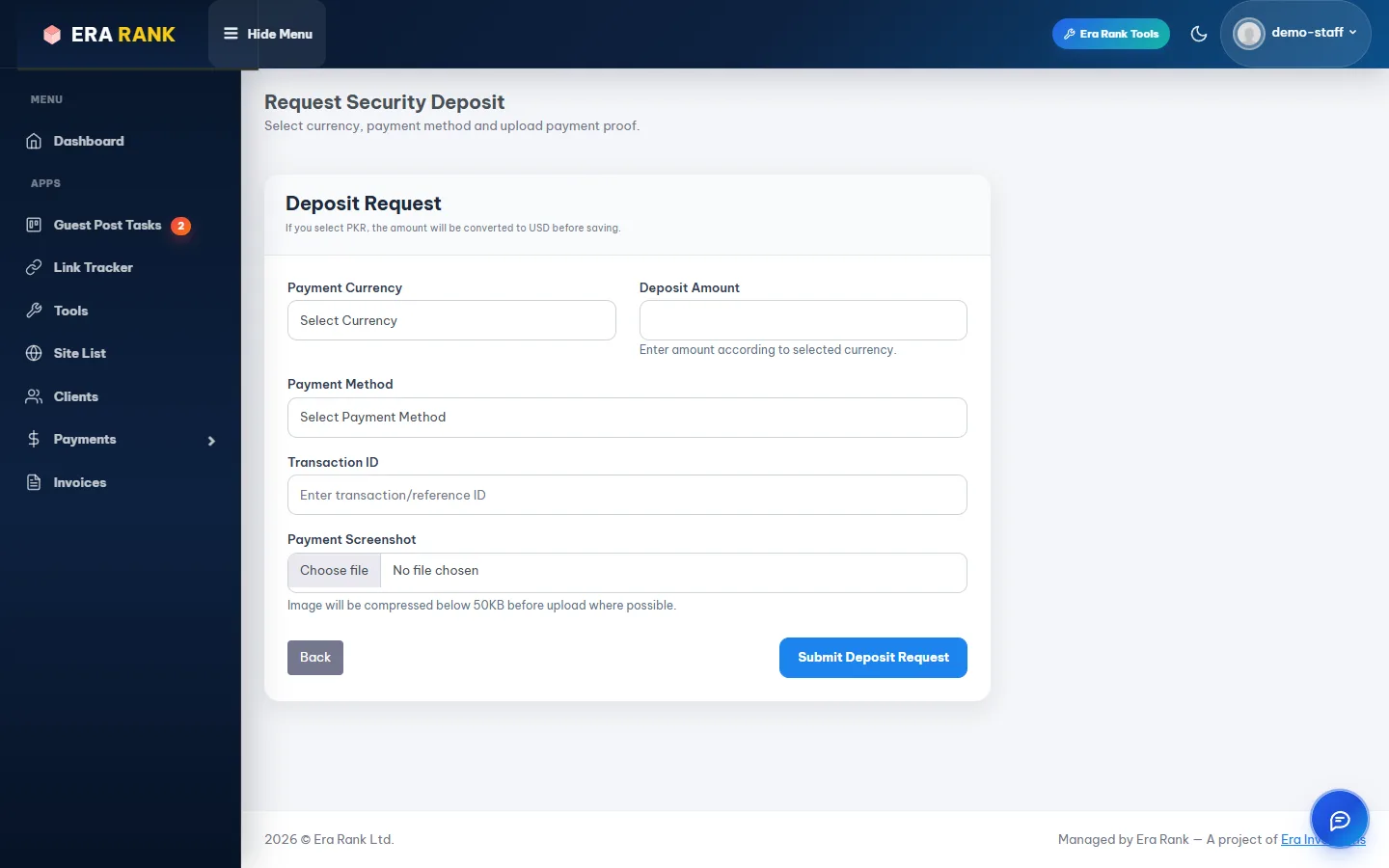
The Deposit Request form.
| Field | What to enter |
|---|---|
| Payment Currency | USD Dollar or Pakistani Rupee. |
| Deposit Amount | The amount you paid, in that currency. Rupees are converted to dollars at today's rate. |
| Payment Method | USD: PayPal or Bank Transfer. PKR: Bank Transfer, EasyPaisa, JazzCash, NayaPay or SadaPay. |
| Transaction ID | The reference of your payment. Optional, but it speeds up approval. |
| Payment Screenshot | Proof of payment: JPG, PNG or WebP, up to 2 MB. Optional. |
Click Submit Deposit Request. The request shows as Pending until our team checks the payment. When it is Approved, the amount is added to your deposit. A Rejected request shows the reason.